Evisu Jeans: Verifying Sizes on fashionreps vs LitBuy
Daniel FosterEditor-in-ChiefPublished 25 October 2026This verification record is for buyers preparing to submit third-party product pages to a purchasing agent platform. The goal is not to judge whether the product is worth buying, but to confirm whether size information, image evidence, and link status are sufficiently aligned. After reading, you should be able to complete a traceable field check and pause submission when evidence is insufficient. 🧭 
This verification record is for buyers preparing to submit third-party product pages to a purchasing agent platform. The goal is not to judge whether the product is worth buying, but to confirm whether size information, image evidence, and link status are sufficiently aligned. After reading, you should be able to complete a traceable field check and pause submission when evidence is insufficient. 🧭
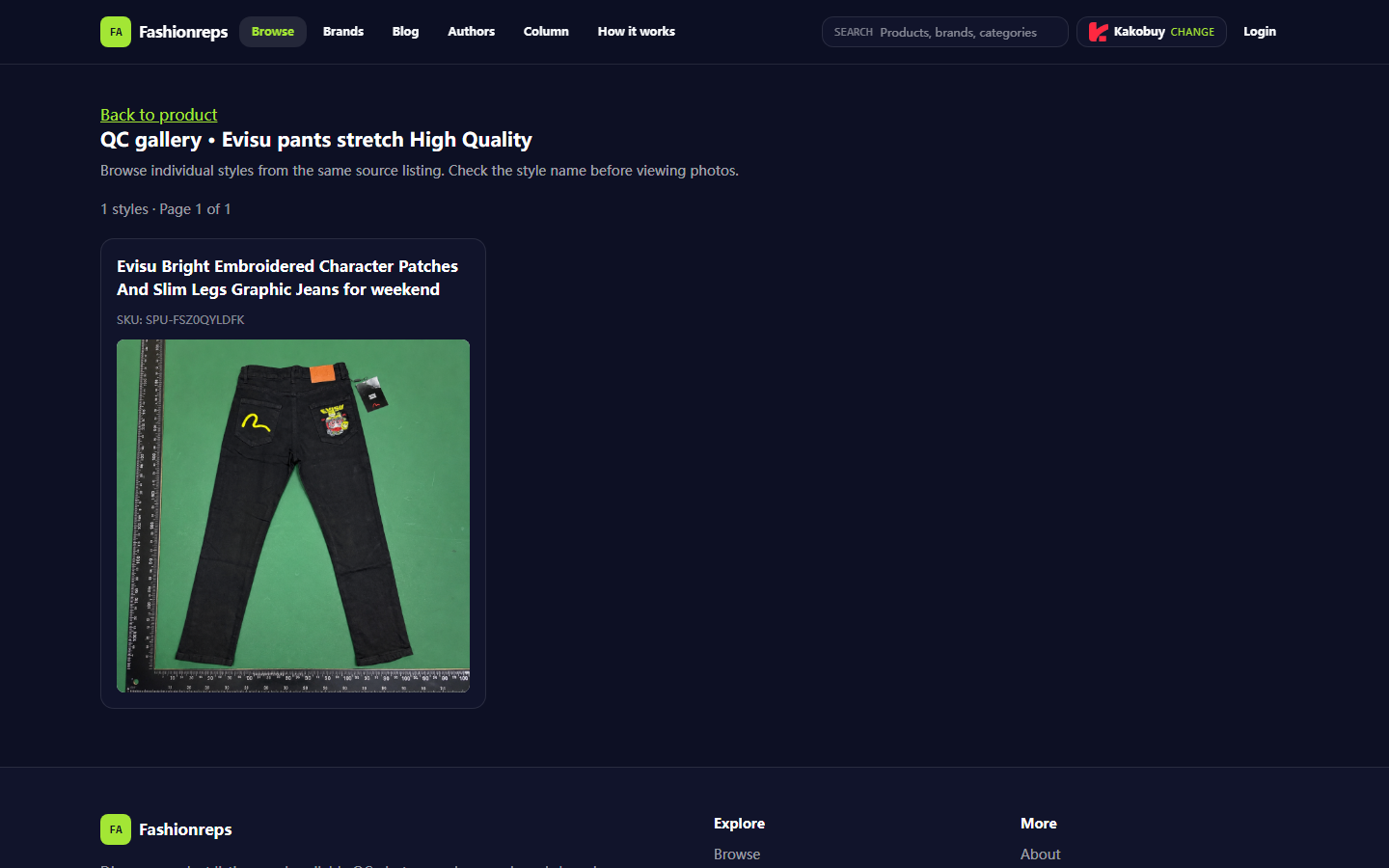
Image: The QC image page from the source page and its visible navigation information. This article only uses the content actually visible in the screenshot as evidence, and does not extend image observations to conclusions about material, fit, or wearing experience.
Defining the Specific Task of Cross-Platform Verification
This task is limited to four things: recording size and product fields on the source page, checking what the images can prove, verifying whether confirmable product fields appear after submission to LitBuy, and deciding whether to continue, seek supplementary evidence, or stop inferring.
The provided source evidence shows that the Fashionreps page is a QC gallery, and the page displays the product style name, SKU, number of styles under the same source, and QC image entry; the page also displays a purchasing agent platform selector, including Litbuy. The above content only proves that the source site displays these fields and entries; it cannot prove that LitBuy has successfully received, recognized, or saved a link.
The verification date should be written into your own records. Prices, inventory, shipping, taxes, routes, return and exchange policies, and platform interfaces may change. This article does not write unprovided real-time information as current facts.
Recording Waist, Length, Color, and Link on the Source Product Page
First save a screenshot or page archive of the source page, then transcribe the visible fields one by one. Do not infer color, fabric elasticity, or actual size from the product title, and do not treat the style name on the page as a size chart.
It is recommended to use the following recording method:
- Page name: Record according to what is actually displayed on the source page.
- SKU: Save it completely, including capitalization and hyphens.
- Number of styles: Record whether the page displays multiple styles, to avoid mixing images of different styles.
- Waist: Fill in only if the page clearly provides a value; indicate the unit and measurement method.
- Inseam/Outseam: Fill in only if the page clearly provides a value; indicate whether it is outseam, inseam, or another definition.
- Color: Record only the color clearly marked on the page; visual color differences in images cannot replace text fields.
- Page URL: Save the original URL, but do not treat the URL itself as size evidence.
- Verification time: Use date and time with time zone.
If the page only shows images and style names without waist or length values, mark the corresponding fields as "Not provided" and do not fill them in with common size experience. 📏
Checking What the Size Chart and Images on the Product Page Can Prove
Images can help confirm whether QC images exist on the page, whether styles are displayed in groups, and whether the page provides visible visual references; images cannot reliably prove precise waist, length, shrinkage rate, fabric composition, inventory, or actual condition.
Two types of evidence should be recorded separately: "explicitly stated in page text" and "directly observable in images." For example, if the page text clearly lists the SKU, it can be recorded as a textual fact; if the image shows a certain part being photographed, it can be recorded as the existence of the image, but measurement results cannot be inferred from it.
Also check style correspondence. The source page indicates that you need to first confirm the style name and then view the corresponding photos, so you cannot mix images, colors, or sizes of different styles under the same source into one product record. If the size chart does not clearly indicate the measurement points, even if both waist and length have numbers, they should not be directly equated with body size.
Checking Product Confirmation Fields After Submitting the Same Link to LitBuy
There is no LitBuy submission result, order draft, product confirmation page, or readable official field screenshot in the current evidence. Therefore, you cannot claim that the submission was successful, nor fabricate that the platform will display product title, size, color, inventory, amount, or image matching status.
In actual operation, after submission, you should only record the fields that clearly appear on the screen, and keep screenshots before and after submission. You can check in the following order:
- Confirm that the submitted original URL is exactly the same as the source record.
- Record whether the platform shows success, processing, failure, or need for additional information.
- Transcribe the product name, specifications, quantity, or other confirmation fields actually returned by the platform.
- Compare the returned fields with the SKU, style, and image grouping on the source page.
- If the page only shows a generic title, it cannot be confirmed that the specific style has been matched.
- If there are no readable confirmation fields, the status should be kept as "Not remotely verified."
The Litbuy selection entry on the source site page only indicates that the site provides a platform selection option; it cannot replace the submission result on the official LitBuy page. 🧾
Comparing Display Differences in Size Information, Image Evidence, and Link Status
It is recommended to classify each piece of information into three states: confirmed, partially confirmed, and unknown. This can avoid splicing similar text from different pages into a seemingly complete conclusion.
| Verification item | Recordable content on source page | Currently confirmable content on LitBuy side | Handling method |
|---|---|---|---|
| Style and SKU | Page shows style name and SKU | No submission result evidence provided | Keep source value, wait for platform echo |
| Waist and length | Record only if page clearly lists | No comparable field provided | Do not fill with images or common sizes |
| Color and images | Can record text annotation and image existence | Not confirmed whether matched | Check image by image by style group |
| Link status | Source page accessibility should be recorded at verification | Not confirmed whether received | Save status before and after submission |
| Inventory, price, and fees | Current evidence not provided | Current evidence not provided | Do not make purchase judgment |
Editorial judgment: If the style, SKU, and size fields on the source page cannot form a one-to-one correspondence, even if the link can be opened, it is not sufficient to prove that the platform identifies the same specific style. ✅
Creating a Record Table for Garment Sizes, Body Sizes, and Unknown Items
Garment sizes and body sizes must be separated. Flat waist measurement, full waist circumference measurement, actual body waist, and platform size label are not the same field. Length also needs to note the measurement start and end points; otherwise numbers from different pages cannot be directly compared.
You can use a three-column recording method:
- Garment size: Fill in only the value, unit, and measurement definition clearly provided on the source page.
- Body size: Measured by the buyer, with measurement location and time noted.
- Unknown items: Record fields that are not provided, units unclear, measurement method unclear, or not echoed by the platform.
Do not replace measurement data with "looks wide" or "image looks stretchy." If the page only gives a size label without garment measurements, the safest record is "Label seen, specific size unknown." If the specification name returned by the platform is inconsistent with the source page, you should pause rather than choose the closest option. ⚠️
How to Stop Inferring When Different Fields Cannot Correspond
If any of the following situations occurs, the task should be marked as pending supplementary evidence:
- The source page contains multiple styles, but it cannot be confirmed which style the screenshot belongs to.
- SKU, title, or image grouping cannot correspond between two pages.
- Size numbers lack units or measurement definitions.
- The platform only returns a generic product name without verifiable specification fields.
- The link redirects, the page is empty, or it cannot be confirmed that it still points to the original product.
- You can only rely on image appearance to infer color, material, stretch, or actual size.
- Submission status has no saved screenshot and no readable success or failure prompt.
Stopping inference does not mean the product necessarily has a problem; it means that the current evidence is insufficient to support the next purchase decision. At this time, you should supplement official platform echo, source page size chart, or clear style correspondence information. 🔎
Saving Evidence Before Ordering and Deciding Whether to Continue or Pause
Only when the source page, platform echo, and personal measurements can form a clear correspondence is it appropriate to proceed to the next step. Before proceeding, save source page screenshots, SKU, style name, size fields, image grouping, submission time, and platform return status. For screenshots involving account, order, or shipping information, you should cover name, phone number, address, payment information, and full order number.
If the cost of supplementary evidence is low and the only missing item is a screenshot, you can pause submission and complete the record first; if key sizes or styles cannot be matched, you should not guess just to complete the process. This article does not provide a conclusion on saving money, because the current evidence has no data on fees, shipping, or splitting and consolidation. The only clearly saveable aspect is repeated verification time; the corresponding increased risk is introducing wrong styles or unconfirmed sizes into subsequent orders. This recording method is suitable for buyers who want to preserve evidence before ordering and distinguish confirmed fields from unknown fields; it is not suitable for using it as a product quality guarantee, size recommendation, or proof of successful platform ordering.
About Daniel Foster
Kakobuy and Yupoo agent workflows, replica-apparel quality control, and cross-border shipping logistics.
Daniel Foster is Editor-in-Chief of Kakobuy Yupoo Review, overseeing all reviews and maintaining the testing standards. Coverage includes Kakobuy and Yupoo agent workflows, replica-apparel quality control and cross-border shipping, with both garment use and agent response included in reviews. Daniel wears every apparel item for at least three days before scoring and photographs all tags, stitching and hardware. Agent response times are recorded to the minute, allowing the article to describe both the physical checks and the waiting time within the service process.