cough syrup: Verify Links in Spreadsheet vs Google Sheets
Daniel FosterEditor-in-ChiefPublished 4 November 2026Bottom Line If your task is to discover cough syrup product candidates and revisit the catalog where the product is listed, start with the fashionreps brand catalog page; if your task is to organize multiple candidates' links, variants, and evidence into a reviewable record, then move to Google Sheets. The two are not mutually exclusive purchasing platforms, but rather recording tools suited to different stages. Currently, the verifiable page is f
Bottom Line
If your task is to discover cough syrup product candidates and revisit the catalog where the product is listed, start with the fashionreps brand catalog page; if your task is to organize multiple candidates' links, variants, and evidence into a reviewable record, then move to Google Sheets. The two are not mutually exclusive purchasing platforms, but rather recording tools suited to different stages.
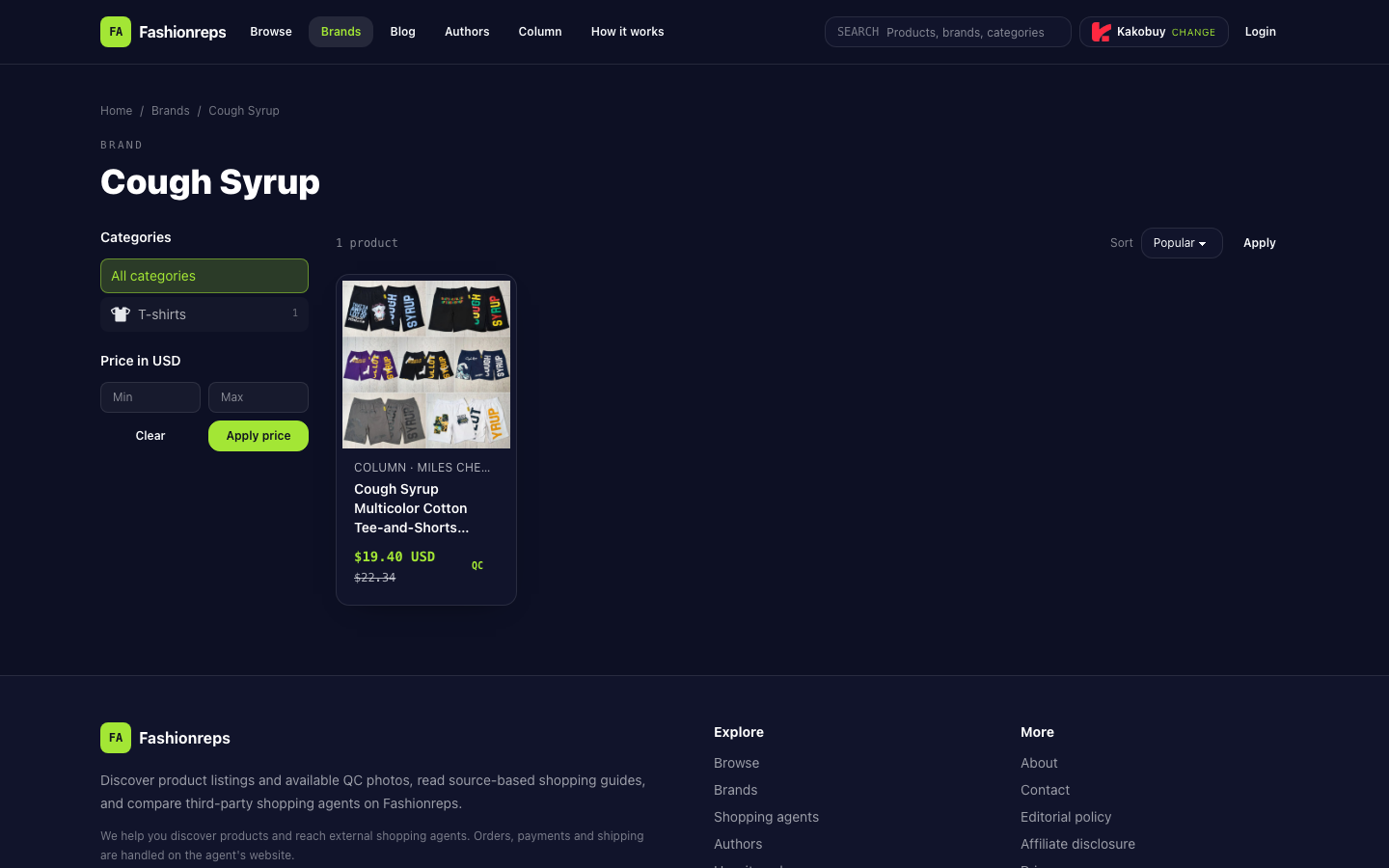
Currently, the verifiable page is fashionreps' Cough Syrup brand catalog. The page shows that the brand has 1 product, categorized under T-shirts, and provides lowest price, highest price, clear filters, result filtering, and sorting options. The product title visible in the catalog is "Cough Syrup Multicolor Cotton Tee-and-Shorts Collection With an Oversized Cut", with a reference price shown as $19.40, and a previous reference price of $22.34. The above information only indicates the catalog content currently displayed on the page and cannot be used to infer stock, shipping, physical quality, or purchase availability.

What to Do First in fashionreps Spreadsheet
The first step is to enter through the brand entry point rather than directly copying an isolated product link. This preserves the brand context in which the product appears and helps confirm whether a candidate indeed appears in the Cough Syrup catalog.
Next, record the following:
- Brand name: Cough Syrup
- Catalog category: T-shirts
- Full title on the product card
- Reference price and currency shown on the page
- Original link to the product card or details page
- Any color, size, or model information visible on the page
- Whether there is a clear correspondence between product images and variants
- Status after reopening the link, such as still accessible, redirect error, or missing details
The catalog page shows the number of products and filter options, but this does not mean every variant has been verified. In particular, if colors, sizes, or models are not fully displayed on the catalog card, mark them as "pending detail page confirmation" and do not infer from the product title or image appearance.
When to Move to Google Sheets
When you have only one candidate, the fashionreps page itself is usually sufficient for initial identification; when you need to save multiple links simultaneously, repeatedly open detail pages, or have another collaborator review, Google Sheets is more suitable as an evidence log.
It is recommended to set up at least these columns:
| Field | Recording Method |
|---|---|
| Original Title | Copy the detail page title verbatim; do not rewrite key descriptions |
| Catalog Entry | Record the Cough Syrup brand catalog or corresponding category entry |
| Product Link | Save the page address used when opening the detail page |
| Variant Fields | Record color, size, model separately; if not shown, write "Not shown" |
| Image Correspondence | Note whether images correspond to specific variants |
| Page Status | Accessible, redirect error, missing details, or pending review |
| Evidence Notes | Record verification date, visible page text, and items needing reconfirmation |
| Review Date | Update when reopening the link next time, not just modifying the article date |
Google Sheets' role here is to organize and track what you have already verified. It does not automatically prove that a product still exists, nor does it automatically fix broken links. If there is no evidence to confirm a variant, keep "Not shown" or "Pending confirmation" and do not fill in with adjacent products, image colors, or vague descriptions from the title.
Division of Labor Between the Two Tools
fashionreps' website-style Spreadsheet is better for discovering candidates and revisiting product context. The brand page places products within categories, filters, and sorting structures, allowing readers to relocate a product from the catalog entry rather than relying solely on a forwarded link.
Google Sheets is better for building your own review ledger. You can put original title, link, variants, image correspondence, and pending items in the same row, reducing the risk of confusing different candidates after repeatedly opening pages. Its value depends on whether you consistently record original evidence, not on the mere existence of a spreadsheet.
Do not treat catalog filter results as stock confirmation, and do not treat "accessible" in a spreadsheet as "purchasable". These two statuses should be recorded separately: the former only means the page can be opened; the latter requires further purchase process evidence, and the currently provided page data is insufficient to support that assertion.
Steps for Verifying Links and Variants
1. Establish a source record from the brand catalog
Open the Cough Syrup brand catalog and record the category, number of products, and product titles shown. Currently the page shows 1 product, so the verification should be limited to the candidate actually displayed on the page and not extend to other products not appearing on the page.
2. Open the detail page and preserve the original title
After entering the detail page from the product card, copy the title actually displayed. Do not delete color, size, model, or set descriptions for the sake of formatting consistency, as these may be important clues for distinguishing variants later.
3. Check variants item by item
Check separately whether color, size, and model are supported by page text. If a field does not appear, fill in "Not shown"; if descriptions in different areas conflict, fill in "Field conflict" and save the location of the conflict instead of choosing a seemingly more reasonable version on your own.
4. Check image correspondence
Images can only prove that the page displays certain visual content and cannot independently prove color names, sizes, or models. Only when the page explicitly associates an image with a variant should you record "confirmed" in the "Image Correspondence" column; otherwise mark as "unconfirmed".
5. Reopen and record status
Copy the detail page link into a new browser tab to test. If it still opens, record as "Accessible"; if it redirects to an unrelated page, shows an error, or leaves blank content, record the specific status and review date. Do not assume the detail link is valid just because the catalog page still exists.
6. Decide whether to continue citing
Only when the product title, link, and required variant fields can be traced back to page evidence can you continue to organize it as a verified candidate. If the link is broken, details are missing, or variants conflict, pause citing and keep a pending review record.
Handling Three Common Anomalies
When a link redirects unexpectedly, first save the original link, the redirected address, and the page status, then re-enter from the brand catalog once. If the catalog entry also cannot locate the product, change the status to "pending review" and do not substitute with a similar product found in search results.
When fields conflict, record the conflicting content separately. For example, if the product card shows one title and the detail page shows another, keep both and note the source locations. Do not merge into a new title without further evidence.
When details are missing, record only the fields that the page currently confirms. If color, size, model, or image correspondence cannot be confirmed, clearly mark as missing. Product images or titles cannot replace missing page fields.
Final Judgment Criteria
Remain in the fashionreps Spreadsheet if: you are still discovering candidates, need to view brand catalog, categories, filters, and product context, and are handling only a small number of records.
Move to Google Sheets if: you have found candidates, need to centrally organize multiple links, verify variants item by item, save image correspondence, and enable future reviews to trace back to the original page.
The safest workflow is "discover in catalog, record evidence in spreadsheet, review on page". For the current cough syrup candidate, the fashionreps page supports confirming brand catalog and product card information; it does not provide sufficient evidence to prove stock, shipping, physical quality, or all variant statuses. Therefore, any field not explicitly shown on the detail page should remain pending confirmation, rather than being written as a definitive conclusion in Google Sheets.
About Daniel Foster
Kakobuy and Yupoo agent workflows, replica-apparel quality control, and cross-border shipping logistics.
Daniel Foster is Editor-in-Chief of Kakobuy Yupoo Review, overseeing all reviews and maintaining the testing standards. Coverage includes Kakobuy and Yupoo agent workflows, replica-apparel quality control and cross-border shipping, with both garment use and agent response included in reviews. Daniel wears every apparel item for at least three days before scoring and photographs all tags, stitching and hardware. Agent response times are recorded to the minute, allowing the article to describe both the physical checks and the waiting time within the service process.