Arcteryx Jacket Size Option Missing at Cart
Daniel FosterEditor-in-ChiefPublished 27 October 2026Introduction If a fall/winter jacket still shows sizes on the product page but the size can't be confirmed after adding to cart, don't repeatedly submit orders or keep adding the same item. This guide addresses only one issue: when the size option disappears after adding to cart, or the cart can't display the size, how to check the product variant and page state. After completing the verification, you should be able to determine whether it's a page loading glitch, an unavailable variant, or insu
Introduction
If a fall/winter jacket still shows sizes on the product page but the size can't be confirmed after adding to cart, don't repeatedly submit orders or keep adding the same item. This guide addresses only one issue: when the size option disappears after adding to cart, or the cart can't display the size, how to check the product variant and page state. After completing the verification, you should be able to determine whether it's a page loading glitch, an unavailable variant, or insufficient cart sync info, and decide whether to continue purchasing, pause, or contact official support.
This article is based on information visible on the fashion-reps product page as of October 23, 2026. The product page title, description, and color information are inconsistent, so the following steps cannot replace final confirmation from the seller or shopping agent. 🧭
Save Key Product Page Information First
Before refreshing the page, switching colors, or re-adding to cart, save the following:
- Product name and page title
- Current product page URL
- Style or model shown on the page
- Color name
- Visible size range
- Price and currency shown on the product page
- Selection state before adding to cart
- Any stock, sold out, or variant unavailable notices on the page
It's recommended to take screenshots of both the product page and the cart page, but you must cover account information, order numbers, addresses, phone numbers, and payment info. Screenshots are only for verifying page state and should not be treated as proof of actual fit, material, or quality.
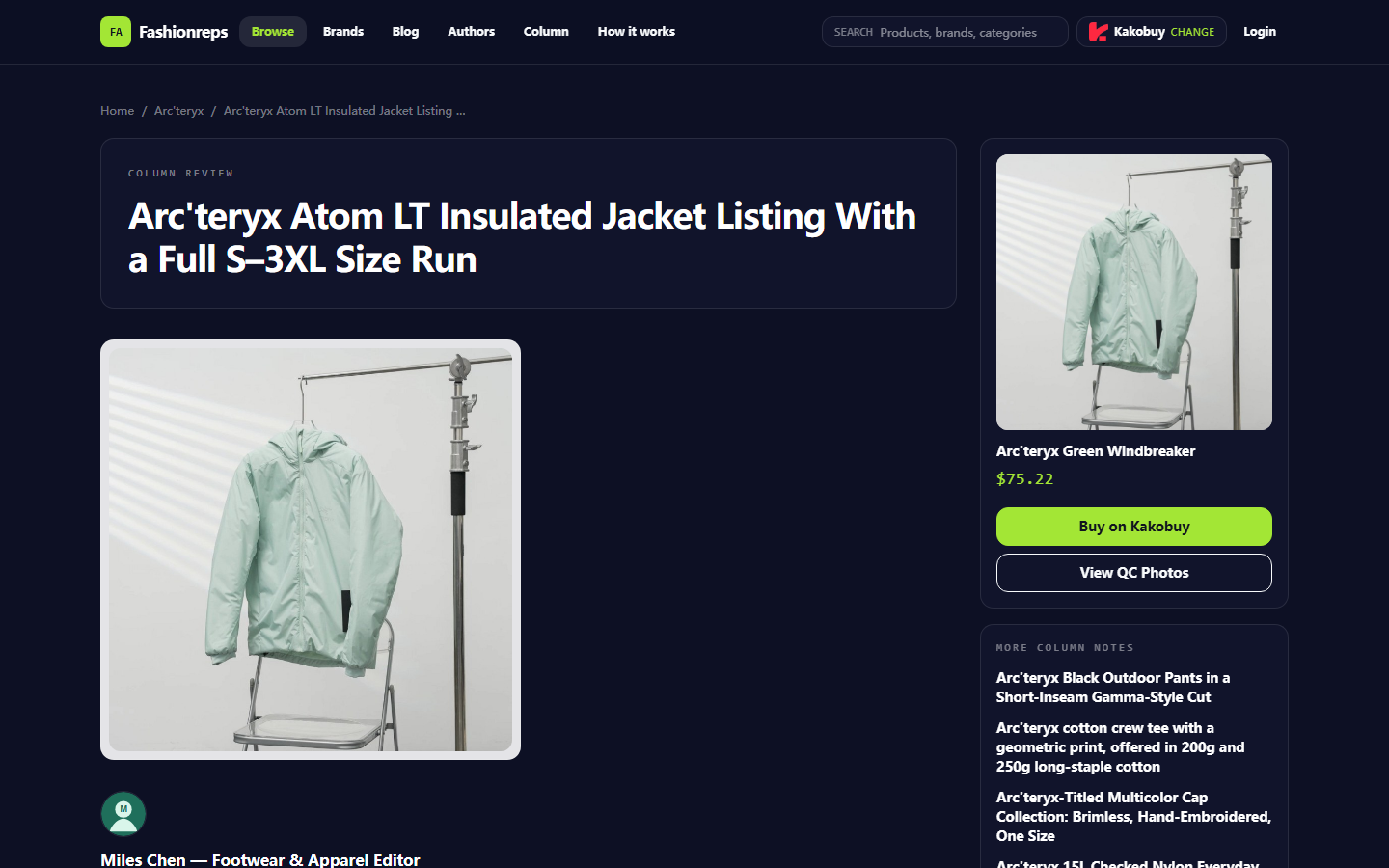
Featured product image:

Check Whether the Product Page Still Corresponds to the Same Jacket
The currently visible page information shows that the title and description are not entirely consistent: the title points to a blue shell-type jacket, while the description mentions an Ice Lake Green Atom LT-style insulated jacket and shows a size range of S–3XL. This discrepancy alone doesn't prove the page is wrong, but it's enough to show that you can't select a variant based solely on the title.
Check in the following order:
- Close the cart page and return to the original product page.
- Re-confirm whether the style, color, and size are still selectable.
- Switch the color once, then switch back to the original color and observe whether the size list changes.
- Record the product name, price, and page URL before and after switching.
- If the size range varies by color, record the available sizes for each color separately.
- Don't automatically assume that the S–3XL in the description means all sizes are in stock for the current color.
The visible size range on the product page only shows that these options were displayed at some point; it alone cannot prove that every size is still purchasable. 🧾
Distinguish Three Common Scenarios
| Page Symptom | More Likely Situation | Next Verification Step |
|---|---|---|
| Size list on product page briefly disappears, then reappears after refresh | Page not fully loaded or variant script error | Wait for page to finish loading, reopen product page, and record results |
| Product page still shows sizes, but a certain size cannot be added to cart | That size may be unsellable, stock changed, or variant combination invalid | Test other sizes and colors separately, save any messages shown |
| Item is in cart, but name, color, or size field is blank | Cart did not fully sync variant info | Pause payment, check item details, and seek help from official support or shopping agent |
Don't treat a clickable button as a successful action. Only when the cart clearly shows the product name, style, color, size, and quantity is the basic variant verification complete.
Reproduce Step-by-Step from Product Page to Cart
To avoid generating multiple identical cart items, it's best to keep only one documented reproduction run:
- Open the product page in the same browser window.
- Select style first, then color, and finally size.
- Confirm that the selection state isn't cleared by page refresh.
- Click "Add to Cart" only once.
- Wait for the page to show a success message or the cart count to change.
- Open the cart and check the item fields.
- If fields are incomplete, do not click "Add to Cart" again.
If the first attempt fails, first record the page message, time, and selection combination at the time of failure, then perform one controlled reproduction. Rapid clicking, refreshing repeatedly, or opening multiple product pages simultaneously can create duplicate items and make it harder for customer service to determine which action corresponds to which variant. ⚠️
Check Fields in the Cart
The cart should at least allow you to confirm the following:
- Does the product name match the original product page?
- Is the style or model clear?
- Does the color match the selection on the product page?
- Is the size clearly displayed?
- Is the quantity as expected?
- Is the unit price consistent with the current product page display, or is there a reasonable price explanation?
- Are there any notices about out of stock, pending confirmation, invalid variant, or need for additional information?
If the size field is blank, shows a default value, or displays an unexplained variant code, don't guess the actual size based on the product image or title. Especially when the page title and description already conflict on style and color, you should pause confirmation.
When to Seek Help from Official Channels
If any of the following occur, gather the information and contact the official customer service, seller, or shopping agent support channel corresponding to the product page:
- Product page shows size, but cart has no size
- Cart shows a different color than selected on product page
- Title, description, and variant names of the same product contradict each other
- Page repeatedly says variant invalid without explanation
- Cannot confirm final product info before payment
- After reopening the page, the original size option disappeared
When asking for help, provide only necessary information: product page link, time of operation, style, color, size, visible messages, and privacy-protected screenshots. Do not send full order numbers, passports, payment cards, complete shipping labels, or account passwords. You can say directly: "The product page shows a certain size, but after adding to cart the size field is empty. Please confirm the actual variant and purchasable status."
Conditions to Stop Adding Repeatedly
Stop adding more if any of the following conditions are met:
- Cart cannot clearly display size
- Product title and description indicate different styles or colors, and no confirmation obtained
- Page shows unclear stock or variant status
- Two or more identical items have already appeared
- Continuing payment requires guessing size, color, or model
- Customer service has not confirmed the actual variant, but the page demands immediate payment
Pausing doesn't necessarily mean the product is defective; it means current evidence is insufficient to support a safe order. Keep the original product page, cart state, and time records, and wait for the page to recover or obtain a clear answer. 🛑
Post-Verification Checklist
When You Can Proceed with Purchase
- Product name, style, color, and size are consistent between product page and cart
- Quantity is correct, and there are no unexplained variant notices
- Price, service fees, and subsequent international shipping costs are clearly confirmed on the shopping agent page
- You understand that page information may change and will re-check before payment
When You Should Continue Pausing
- Size still cannot be displayed
- Page still has style or color conflicts
- Product variant can only be determined through title, image, or speculation
- Customer service has not clearly explained the actual size in the cart
- You cannot confirm which variant applies for after-sales or returns
Cost Savings, Increased Risks, and Target Audience
This verification process typically doesn't directly lower the product price, nor does it guarantee stock restoration. It mainly saves the costs of repeated communication, repeated orders, and possible returns due to wrong size, color, or style. The added cost is waiting for page or customer service confirmation, which may miss short-term stock changes.
It's suitable for buyers who cannot confirm size, color, and style in the cart, especially when facing product pages with inconsistent titles and descriptions. It's not recommended to pay directly when page fields are incomplete, variant status is unclear, or customer service has not confirmed, nor is it advisable to "test" stock by adding items repeatedly.
About Daniel Foster
Kakobuy and Yupoo agent workflows, replica-apparel quality control, and cross-border shipping logistics.
Daniel Foster is Editor-in-Chief of Kakobuy Yupoo Review, overseeing all reviews and maintaining the testing standards. Coverage includes Kakobuy and Yupoo agent workflows, replica-apparel quality control and cross-border shipping, with both garment use and agent response included in reviews. Daniel wears every apparel item for at least three days before scoring and photographs all tags, stitching and hardware. Agent response times are recorded to the minute, allowing the article to describe both the physical checks and the waiting time within the service process.